Where Xero appears in BMS
The integration has no menu of its own. It surfaces in three places.
Admin → Entities, Organisations list
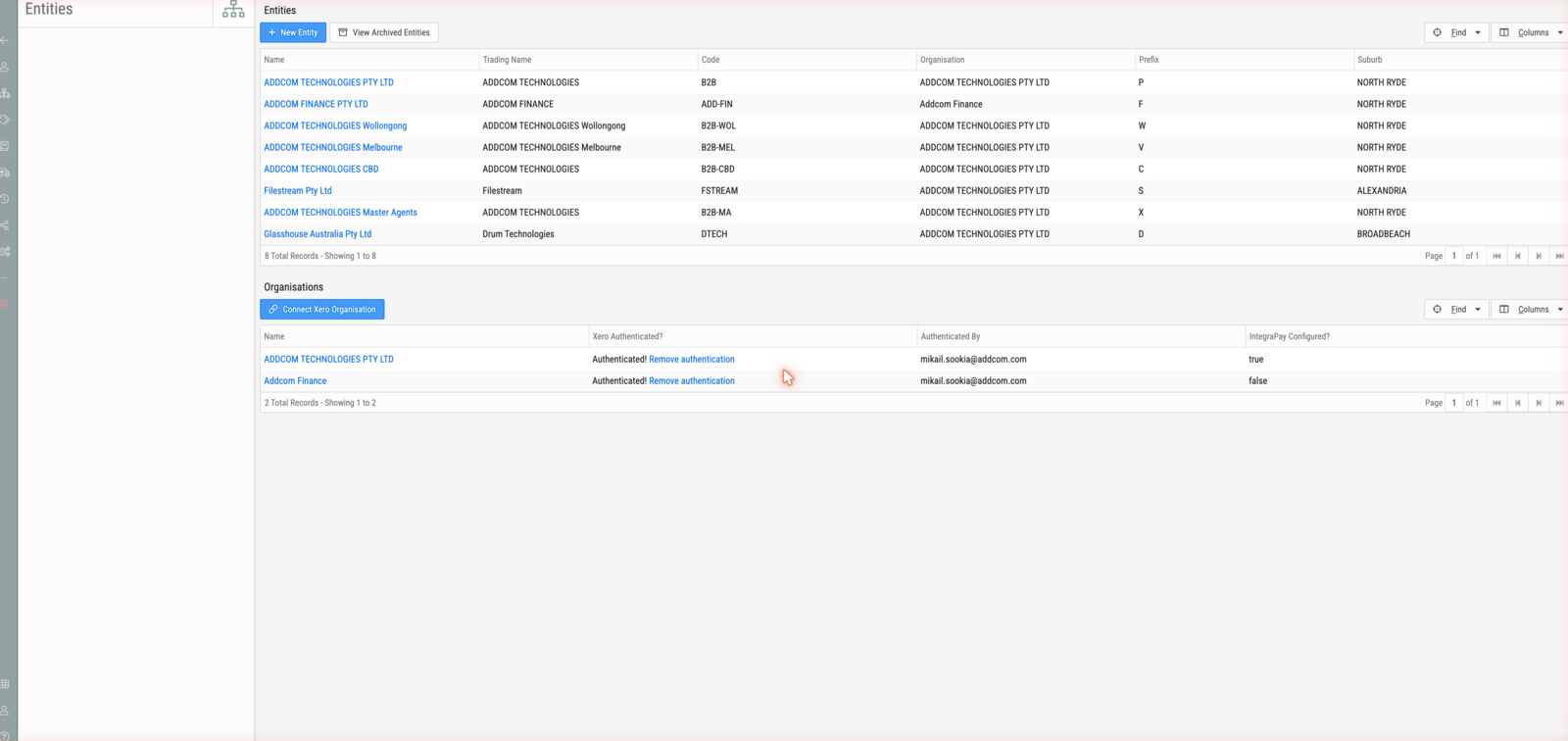
| Column | Meaning |
|---|---|
| Name | The accounting organisation |
| Xero Authenticated? | Authenticated! when the connection is live, with a Remove authentication link |
| Authenticated By | The user whose authorisation the connection runs under |
| IntegraPay Configured? | Whether payment collection is set up — separate from Xero |
Connect Xero Organisation starts an authorisation.
This column is the integration's health indicator. An organisation that is not authenticated is not syncing, and nothing elsewhere in BMS will say so.
Admin → Accounts
The chart of accounts, with a compare against Xero view and an import. Use it to bring BMS's account codes into line with the books.
Admin → Tax Rates
The same pair of actions for tax rates: compare against Xero, and import.
Related
Not here
Screens also exist at /integration/xero. They are not used — see the
warning in Where Xero touches BMS. Judge the
connection from the Organisations list above, not from those.