My Stock
Bottom navigation → Stock. What your own warehouse holds.
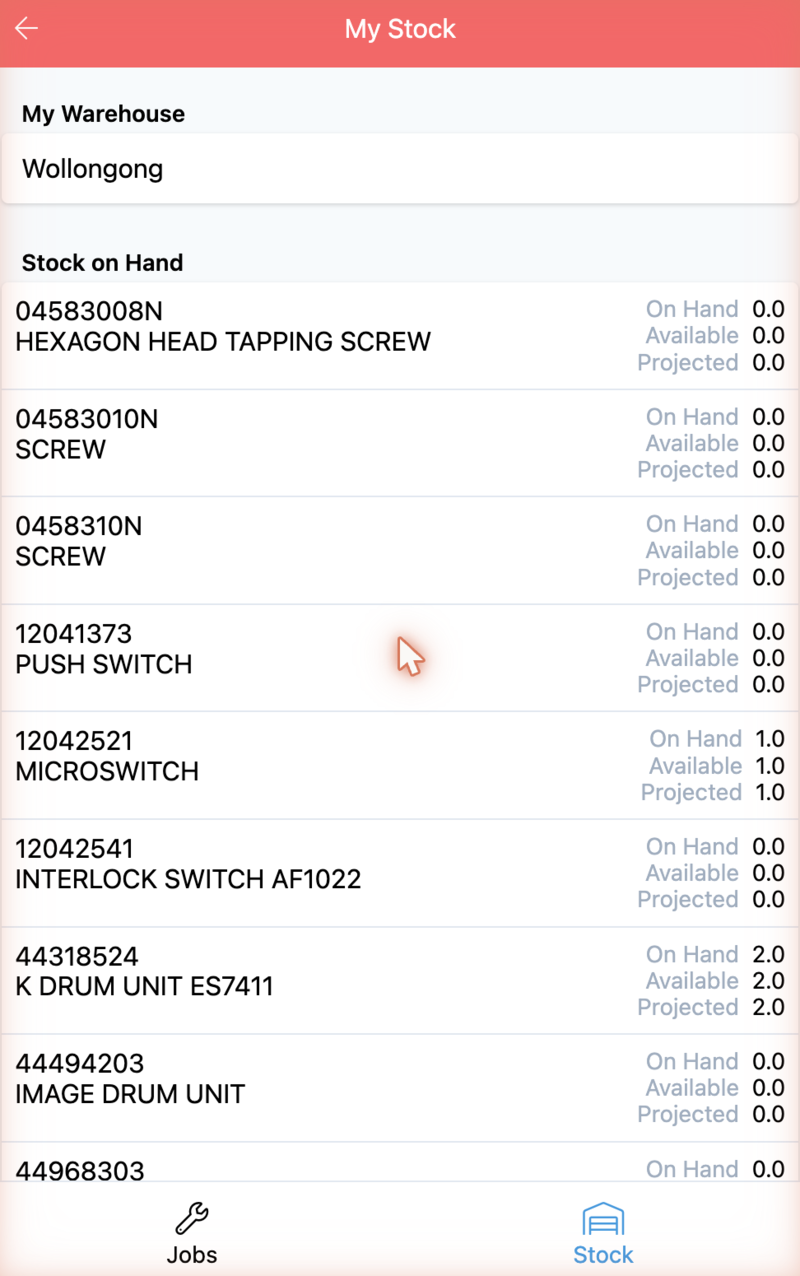
My Warehouse at the top names the warehouse this is showing — the one on your user record, not a warehouse you pick.
Each product shows three quantities:
| Quantity | Meaning |
|---|---|
| On Hand | Physically there |
| Available | On hand, less what is already claimed — what you can actually take |
| Projected | Where it lands once everything in motion completes |
These are the same three numbers the desktop warehouse screen shows, and the same caution applies: Available is the one to trust, not On Hand.
Note
Projected can be negative. A product showing Projected -2.0 has more
committed against it than will exist. It is a real state, not a display error —
it means something has been promised that the warehouse cannot currently cover.