Engineers and the Job Scheduler
Engineers
Service → Engineers. Field engineers, and how loaded each one is.
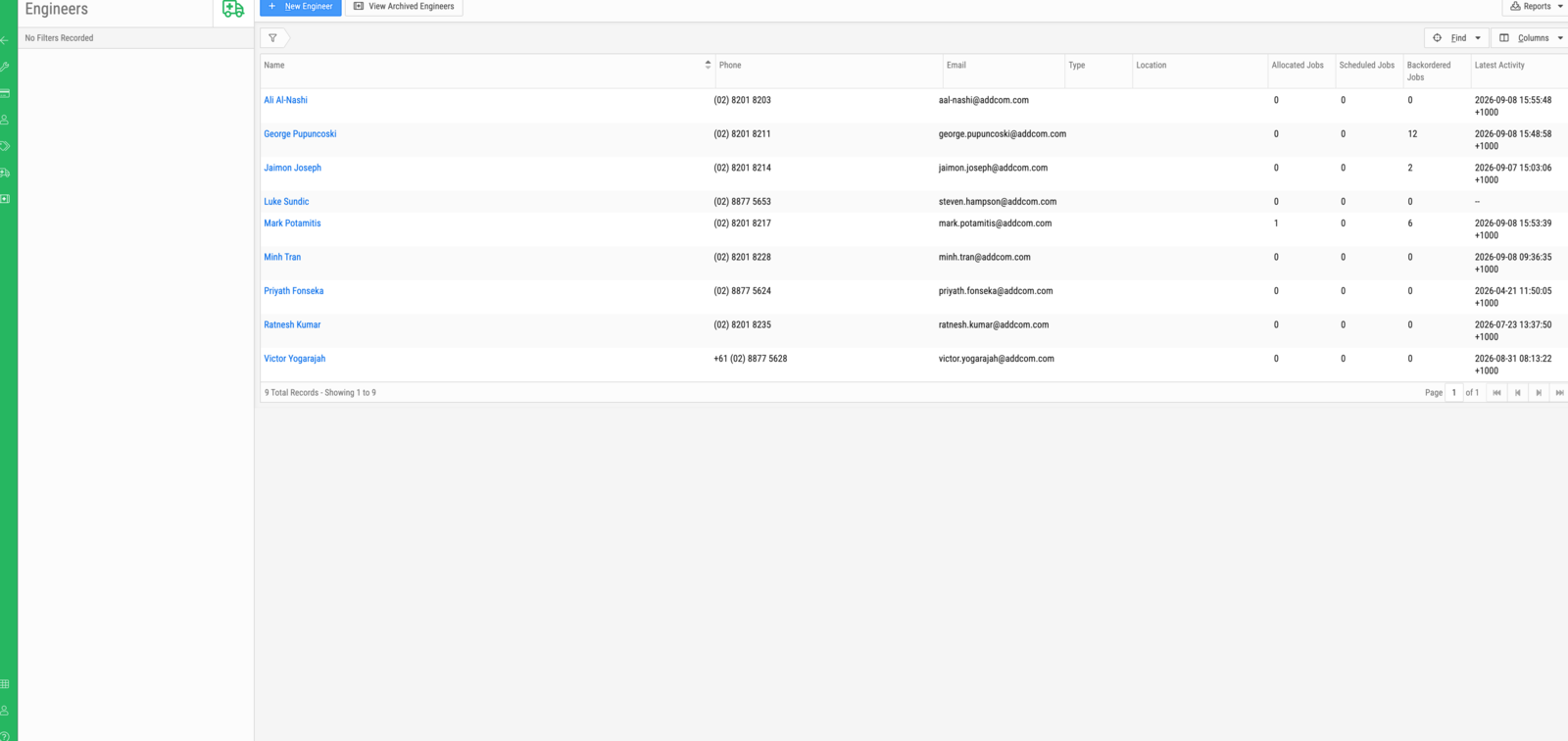
| Column | Description |
|---|---|
| Name | The engineer |
| Phone / Email | Contact details |
| Type | Engineer type, where your workspace distinguishes them |
| Location | The engineer's base |
| Allocated Jobs | Assigned, not yet scheduled |
| Scheduled Jobs | Placed on the scheduler |
| Backordered Jobs | Waiting on parts |
| Latest Activity | When the engineer was last active |
New Engineer creates one; View Archived Engineers shows those retired. An engineer is linked to a BMS user account, which is what gives them the mobile app.
Note
Backordered Jobs is often the largest of the three counts, and it is not a measure of the engineer. Those jobs are waiting on parts, not on them.
The Job Scheduler
Service → Jobs → Schedule, or Back to jobs to return.
Note
The scheduler is used infrequently. Most jobs are progressed through Service → Jobs and the job screen. Treat this as an optional planning view, not a step in the normal workflow.
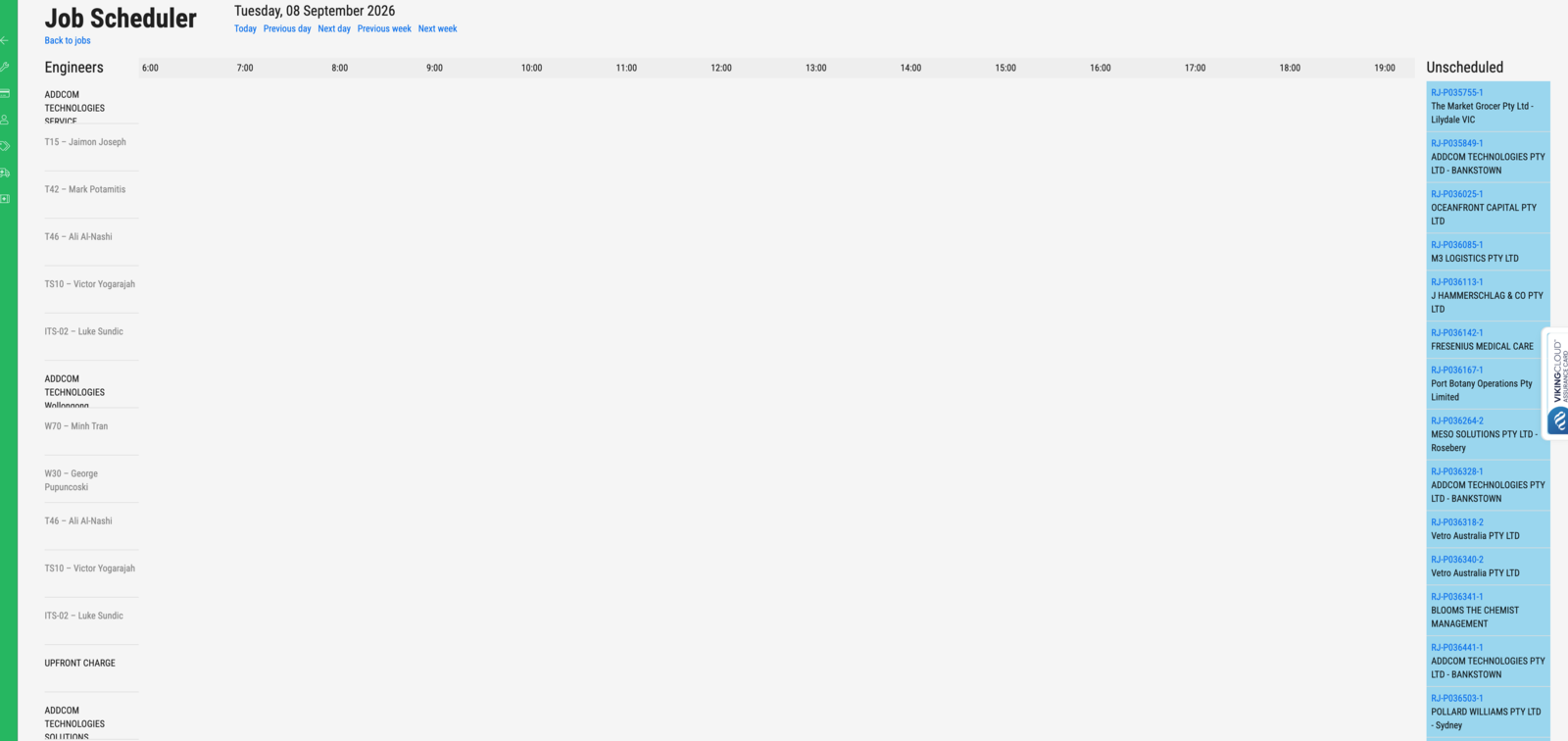
It shows one day at a time. Engineers run down the left, grouped under their
service agent; the day runs across in hours; Unscheduled on the right lists
activities waiting to be placed, by their activity reference (RJ-P036503-1).
Today, Previous day, Next day, Previous week and Next week move the view.
An engineer who works for more than one service agent appears under each.