BMS Cloud
BMS is the system of record for a business that puts equipment into other people's premises and earns from it for years afterwards.
That sentence is worth pausing on, because it is what makes BMS different from a general accounting package. A printer, a multifunction device or a piece of telco hardware does not produce revenue when you sell it. It produces revenue every month it sits in a customer's office: a fixed amount for having placed it there, and a variable amount for what it actually did. Someone has to know which devices are where, whose they are, what was agreed, what they counted last month, who gets paid out of the proceeds, and whether the invoice that went out was right. BMS is where all of that is kept, and how it turns into money.
What you do here
The work in BMS follows the life of a piece of equipment, and the modules on the home screen are steps along that life rather than departments.
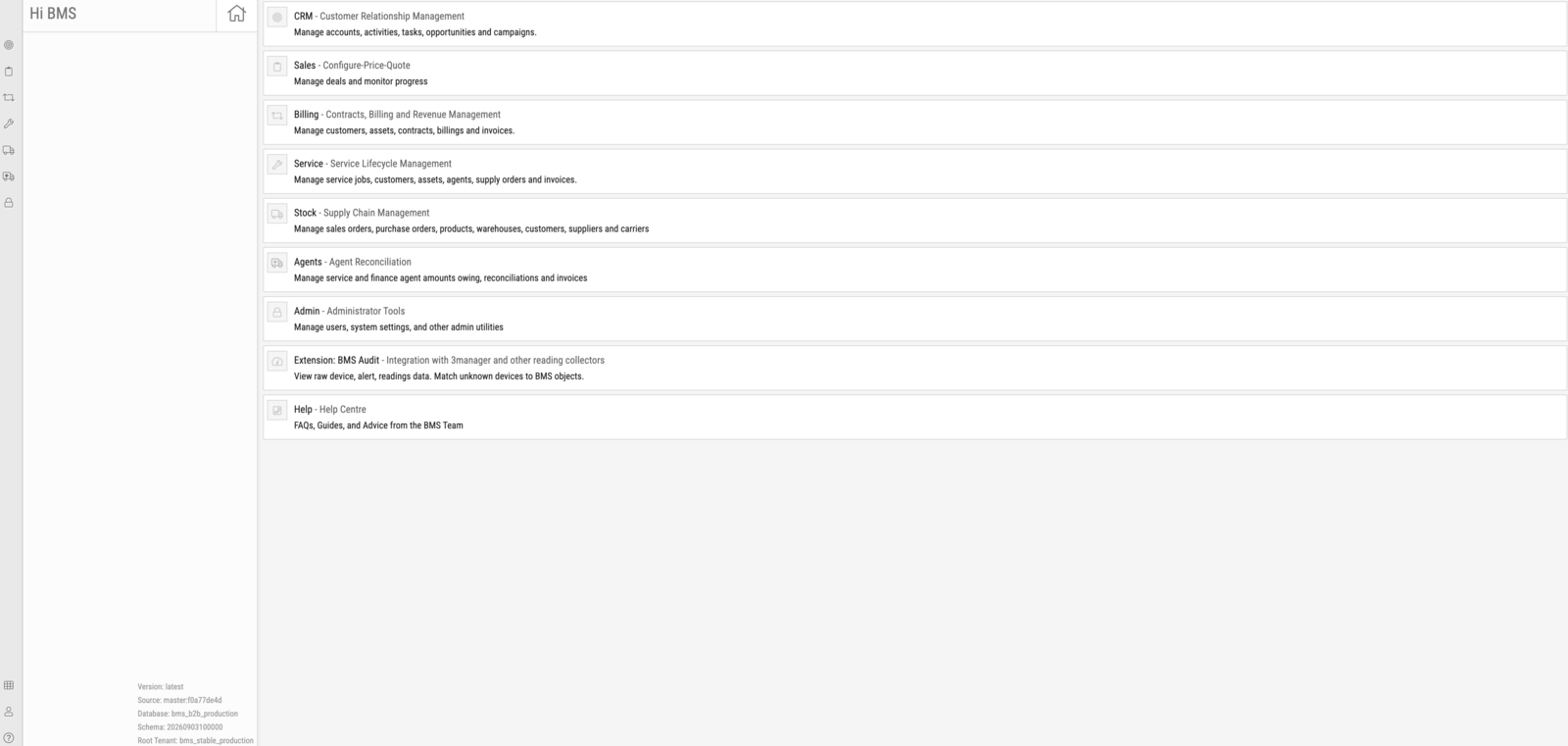
| Area | What it is for |
|---|---|
| CRM | Accounts, contacts, activities, tasks, opportunities and campaigns — the relationship before there is a deal. |
| Sales | Deals and quotes: configuring what is being proposed and tracking it to a decision. |
| Billing | Customers, assets, contracts, billing periods and invoices — the agreement and the money that comes out of it. |
| Service | Service jobs, technician activity, parts, supply orders and service invoicing — keeping the equipment working. |
| Stock | Sales orders, purchase orders, products, warehouses, suppliers and carriers — getting equipment and consumables in and out. |
| Agents | Reconciliation and payout of finance and service agents — settling with the partners who fund or service the fleet. |
| Admin | Users, system settings, tax rates, entities and the utilities that configure everything above. |
Two extensions sit alongside these. BMS Audit receives raw device, alert and reading data from collectors such as 3Manager and matches unknown devices to BMS records. The Help Centre carries FAQs and advice from the BMS team.
The three things everything hangs off
Almost every screen in BMS is a view onto one of three records, and knowing which one you are looking at makes the rest of the application legible.
A customer is who you have the relationship with, and who ultimately pays. A customer may be billed through a different entity than the one you deal with day to day — a finance company, or a head office — which is why a contract names both.
An asset is a specific physical device with a serial number, a location and a history. It is not a product; it is that machine. An asset carries meters, which are the counters the device reports, and it moves: it is bought, placed, serviced, returned, refurbished and eventually scrapped, and BMS keeps the ownership trail for all of it.
A contract is the agreement that connects the two. It says which assets are covered, what is charged for them, how often, on what terms, and for how long. It is the reason a billing run knows what to invoice, the reason a service call knows what is covered, and the reason an agent knows what they are owed.
Note
A great deal of confusion in BMS comes from mixing up the customer you serve with the entity you bill, or an asset with the product it is an instance of. When a screen surprises you, check which of the three you are actually looking at.
Where the money comes from
For most businesses running BMS, the contract billing loop is the core of the operation and the largest single source of revenue. It runs on a monthly rhythm: contracts generate billing periods, device meters are read, each period's charges are calculated into a transaction, staff review and release those transactions, and released transactions become invoices.
That loop, and everything it depends on, is documented in About Billing. If you are new to BMS and want one thing to understand properly first, make it that.
Your organisation's data
Each business running BMS has its own separate database. Customers, contracts, assets and invoices are never shared between organisations, and settings that look global — tax rates, contract types, billing groups, the labels on your screens — are configured for your organisation alone. Two BMS sites can therefore look meaningfully different, and a colleague at another company describing a screen you do not have is not necessarily mistaken.