The mobile app for engineers
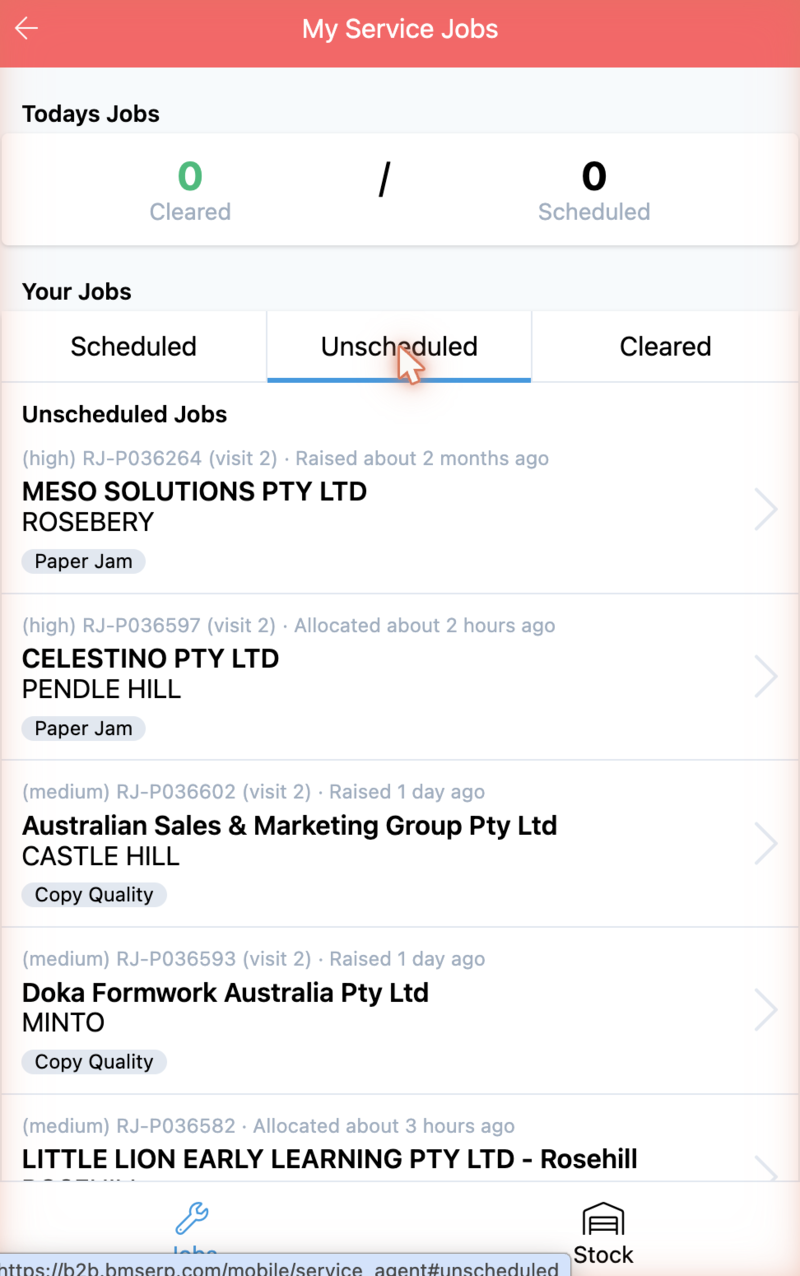
BMS has a second interface built for one job: an engineer, on site, with a phone. It shows the visits assigned to them, the machine they are standing in front of, the parts they need, and what they have in the van.
It is at /mobile, and a mobile device is routed to it automatically.
What you can do here
- See your visits — scheduled, unscheduled and recently cleared.
- Open a visit and read the customer, the fault and the machine.
- Allocate stock to it, or raise backorders for what is missing.
- Add the parts and labour you actually used.
- Capture a customer signature.
- Check what stock your warehouse holds before you promise anything.
What you will meet
The app works in visits, not jobs. Every screen is one activity — RJ-P036593 (visit 2) — because that is what an engineer is sent to do. Required items
are the parts a visit needs; once the visit is done they become used items.
My Stock is your own warehouse.
Important
You will see nothing unless your user account is linked to an engineer. An
office account opening /mobile gets an empty list, and that is not a fault.
See Why some users see no jobs.
Where to go next
- New to it? Walk through a visit on your phone
- On site now? Work a visit on site
- Checking a detail? The visit screen and My Stock
- Want to know why? Why engineers get their own interface