Sales orders
Stock → Sales Orders. Every commitment to supply goods, whatever raised it.
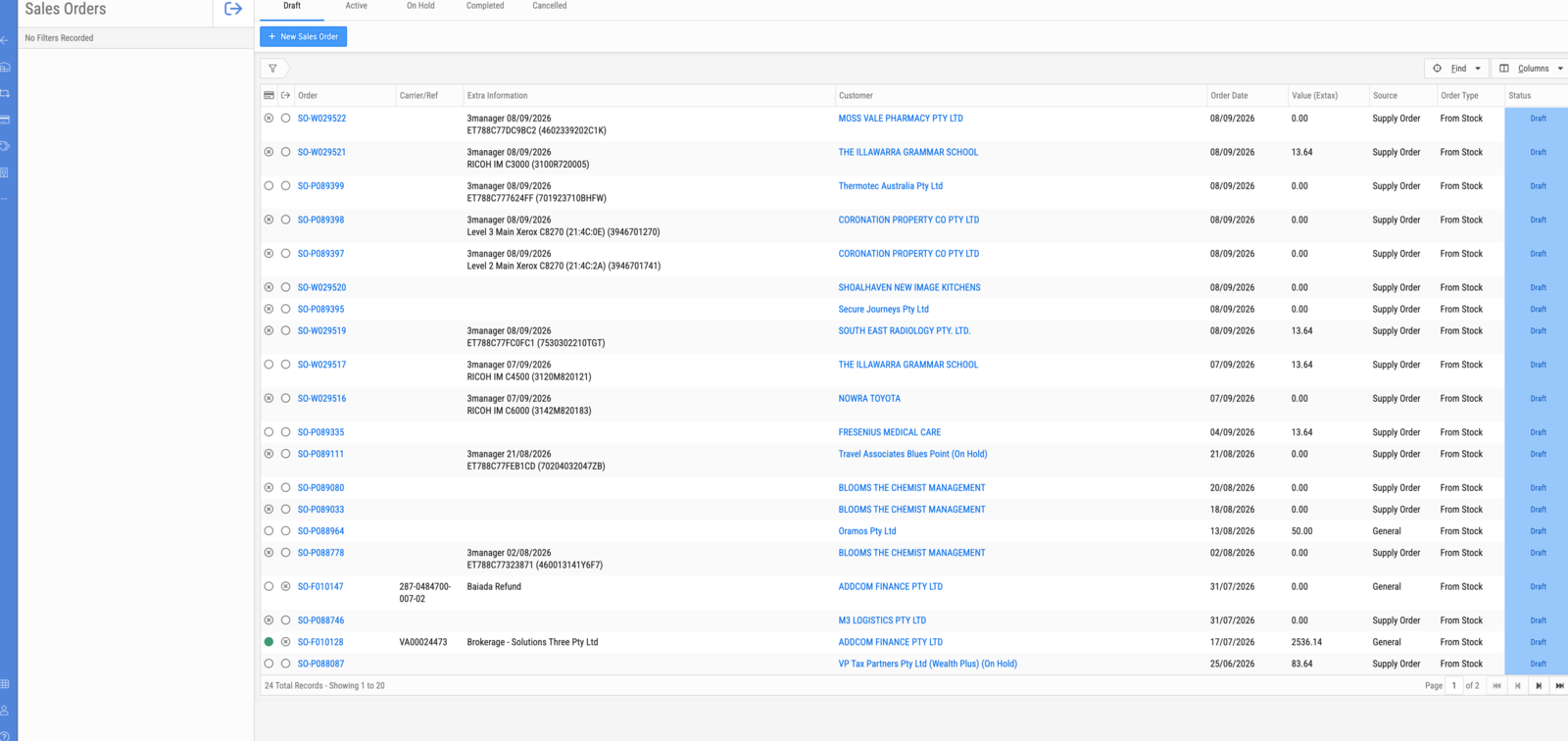
Tabs
| Tab | Shows |
|---|---|
| Draft | Raised, not yet released |
| Active | Being fulfilled |
| On Hold | Held |
| Completed | Fulfilled |
| Cancelled | Abandoned |
Columns
| Column | Description |
|---|---|
| Order | Order reference, SO- plus a series letter and number |
| Carrier/Ref | Carrier, or an external reference |
| Extra Information | Where the order came from and what it is against — for a supply order, the originating system, date, and the device name and serial |
| Customer | Who it is for. (On Hold) after the name means the customer's account is on hold |
| Order Date | When it was raised |
| Value (Extax) | Order value excluding tax |
| Source | What raised the order — see below |
| Order Type | How it is being fulfilled, e.g. From Stock |
| Status | Matches the tabs |
Source: finding supply orders
Source is the field that separates the two kinds of sales order, and filtering on it is how you work supply orders as a group.
| Source | Meaning |
|---|---|
| Supply Order | Raised against an asset in Service — toner and consumables for a specific machine |
| General | Raised directly in Stock — an ordinary sale of goods |
A supply order raised from an asset's Orders tab in Service arrives here as a sales order with Source Supply Order. Service records that it was ordered; Stock is where it is actually fulfilled. Filter this list by Source to see the consumables queue on its own.
Supply orders carry their origin in Extra Information — the fleet-management system that triggered them, the date, and the device. An order whose Extra Information is blank was raised by a person rather than by an integration.
Note
Order references use a series letter that reflects which part of the business
raised the order (SO-P…, SO-W…, SO-F…). They are not sequential across
the whole list, so do not read one as being newer than another.
Related
- Fulfil a supply order
- Raise a supply order for an asset — the Service side