Opportunity stages and probability
CRM → Opportunities. The list is tabbed by stage, and each stage carries a fixed probability.
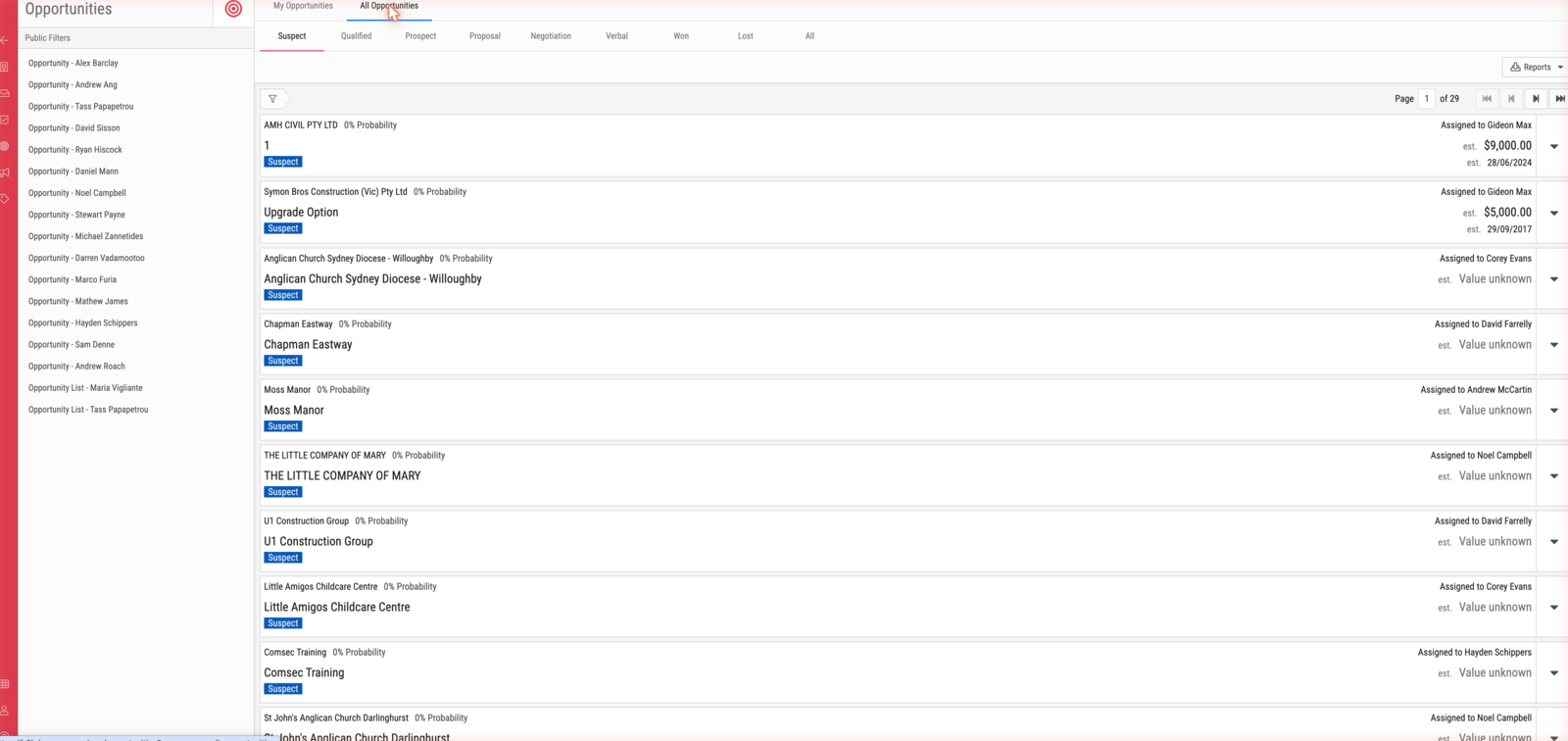
Stages
| Stage | Probability | Meaning |
|---|---|---|
| Suspect | 0% | Identified, nothing established |
| Qualified | 10% | Worth pursuing |
| Prospect | 30% | Actively being worked |
| Proposal | 50% | A proposal is out |
| Negotiation | 70% | Terms being agreed |
| Verbal | 90% | Verbally agreed |
| Won | 100% | Closed, won |
| Lost | 100% | Closed, lost |
Important
Probability is derived from the stage, not entered. Moving an opportunity sets it automatically, and it cannot be set independently — an opportunity at Proposal is 50%, always.
Note that Lost is also 100%. The figure records that the outcome is settled, not the chance of winning. Any weighted pipeline total must exclude closed opportunities, or lost deals will inflate it.
Moving between stages
Step forward and step backward move one stage at a time. Individual stages can also be set directly.
Two moves are gated:
| Move | Requires |
|---|---|
| → Proposal | An estimated value and a forecast close date |
| → Won | An actual value |
Those are the fields the pipeline is reported on, so BMS asks for them at the point they become knowable rather than letting them stay blank.
Open, paused and stopped
Separately from the stage, an opportunity is open, paused or stopped. Winning or losing stops it; reopening it makes it open again.
A stopped opportunity's assignee cannot be changed — "Can't change assignee on won/lost opportunity".
Type
Opportunity type is new or existing, and defaults from the account: existing where the account is already a customer, new otherwise.
The list
Opportunities show as cards carrying the account, the probability, the stage, the assignee, the estimated value and the forecast close date. Cards reading "est. Value unknown" have no estimated value — which is also why they cannot be moved to Proposal.
Public Filters carry a saved view per sales rep, plus My Opportunities and All Opportunities.