The visit screen
Tapping a card opens the visit. Everything an engineer needs is on this one screen, in the order they need it.
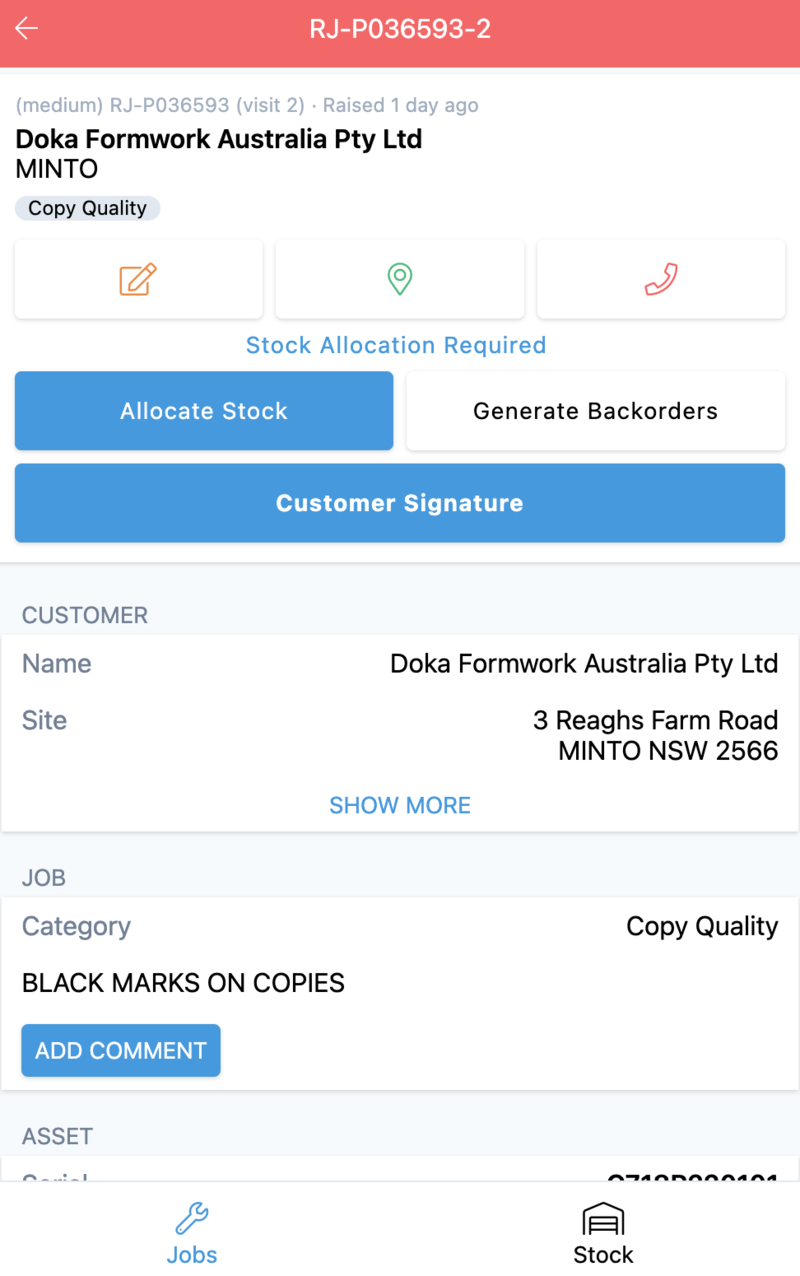
Header and actions
The same summary as the card, then a state badge — Stock Allocation Required — and the actions available at this point in the visit:
| Action | Effect |
|---|---|
| Allocate Stock | Claims the required items from stock for this visit |
| Generate Backorders | Raises backorders for what is not available |
| Customer Signature | Captures the customer's signature |
The buttons change with the state of the visit. A visit that is finished shows none.
Sections
| Section | Contents |
|---|---|
| CUSTOMER | Name and site address, with SHOW MORE for the rest |
| JOB | Category and the reported fault, with ADD COMMENT |
| ASSET | Serial, model, where it came from, site name and suburb, plus Job History for the machine |
| REQUIRED ITEMS | Parts and labour the visit needs, each with quantity, allocation state and price. ADD ITEM and ALLOCATE STOCK |
| TIMELINE | The visit's states with timestamps, newest first, and SHOW MORE |
Job History on the asset is the most useful thing on the screen for a returning fault: it is every previous visit to that machine, from the machine's own record.
A finished visit looks different
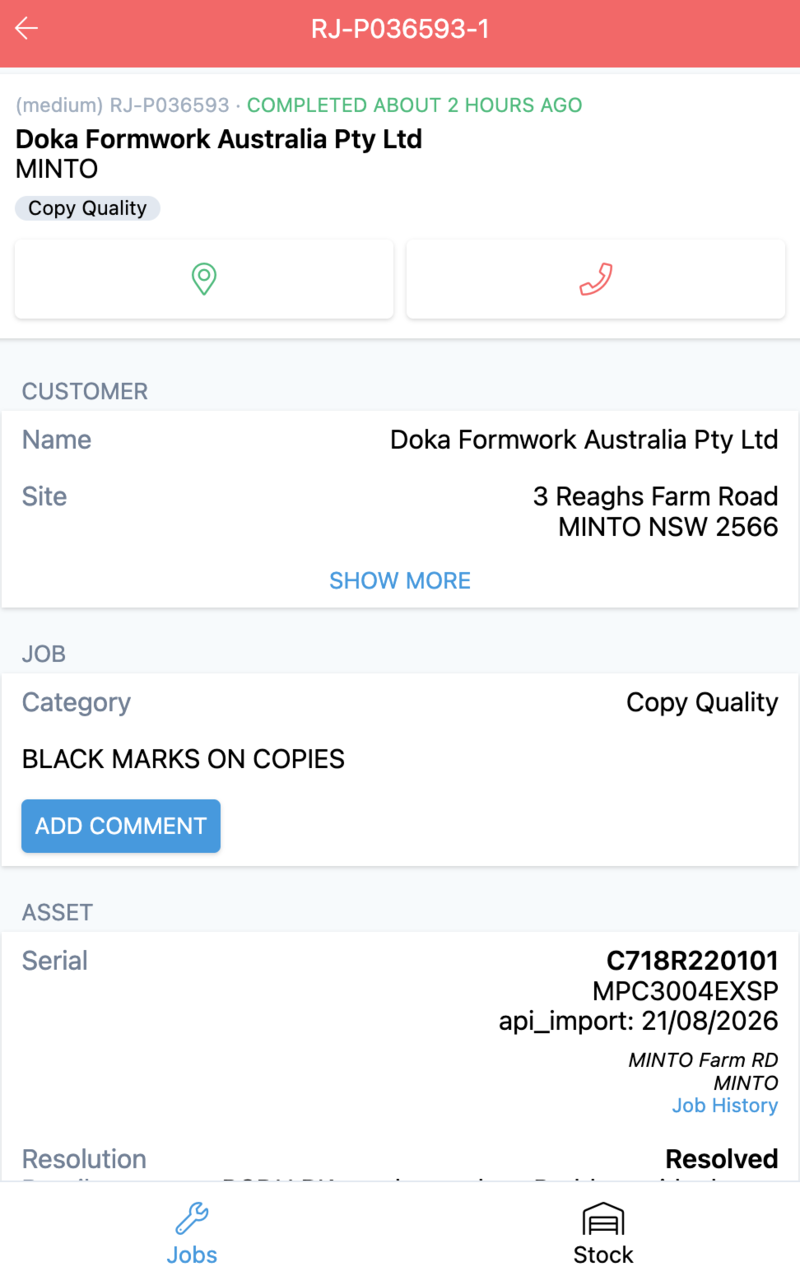
| Open visit | Completed visit |
|---|---|
| Action buttons | None |
| REQUIRED ITEMS — what is needed, with allocation state | USED ITEMS — what was actually consumed, with quantities |
| No resolution | Resolution Details and its Resolved note |
| Timeline shows Raised | Timeline shows Arrived, Cleared |
The switch from required to used is the record of the visit changing from a plan into a fact.
Labour appears as items too — a callout charge, travel and additional labour are all lines with quantities, which is how a visit's time reaches the invoice.
Related
- Work a visit on site
- Job activities and required items — the same activity, seen from the desktop